Adult Day Genie support can set up a private chat channel for your center in Zoho Cliq. It is a direct line to our team for quick questions and updates. Joining takes a few minutes, and it is free.
Your channel is named like ADG-YourCenter-code. Only the people you invite and the Adult Day Genie team are in it. We never ask for payment in Cliq.
Join your channel
- Find the invite email. Zoho Cliq sends an email that says someone “invited you to join #ADG-YourCenter-…”. Open it and click Join.
- Sign in or create a free Zoho account. Use the same email address the invite was sent to. If you already have a Zoho account with that email, sign in. If not, create a free one with that email.
- Choose Setup your business. Cliq now shows Let’s get you started! with two buttons. Click Setup your business, then type your center’s name. This is free.
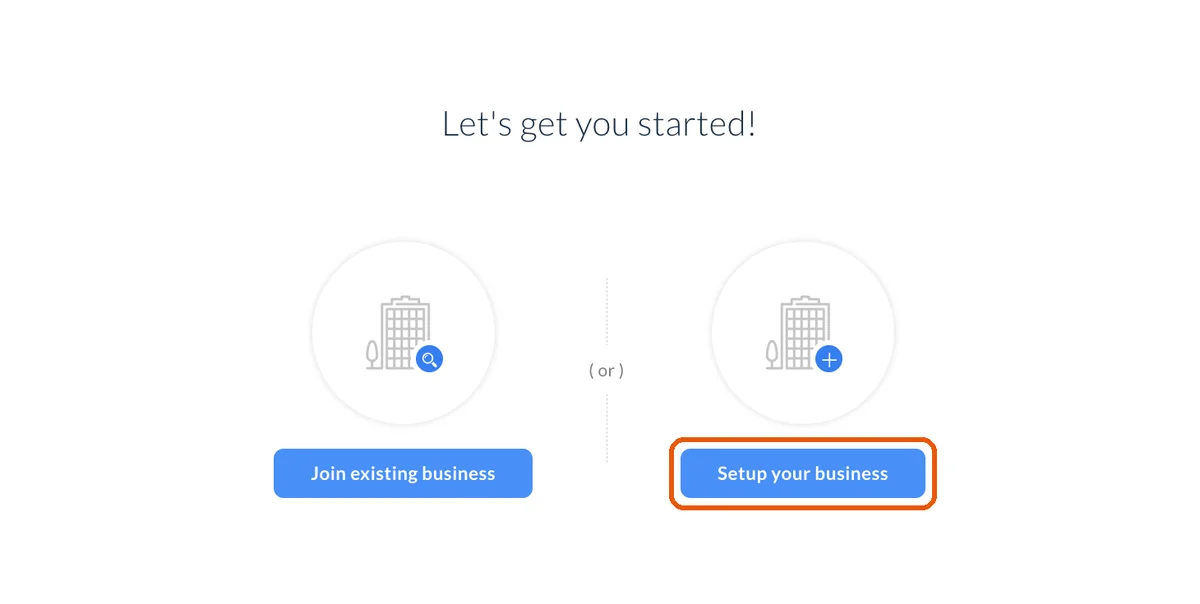
Important: Do not click Join existing business. That button is for joining another company’s Cliq workspace, and it will not take you to your support channel.
- Open the invite again. Go back to the invite email and click Join (or open the channel link we sent you). You will land right in your support channel. Say hello, and we will take it from there.
Use Cliq on your phone or computer
You can also chat from the Zoho Cliq app for iPhone, Android, Mac, or Windows. Search for “Zoho Cliq” in your app store, then sign in with the same email you used above. Your support channel will be there too.
Having trouble?
- I did not get the invite email. Check your spam or junk folder for an email from Zoho Cliq. Still nothing? Email [email protected] and we will send it again.
- I signed in with a different email. The invite only works for the email it was sent to. Sign out of Zoho, then open the invite again and sign in (or sign up) with that email. To use another address instead, email [email protected] and we will invite it.
- I clicked Join existing business by mistake. Sign out of Zoho Cliq, open the invite email again, and this time choose Setup your business. If you get stuck, email [email protected].
- The channel link says I do not have access. Finish steps 1 to 3 first. The link only works after your account is set up with the invited email.
Prefer email? That always works too. See Contacting Adult Day Genie support.